2026 жылғы ең жақсы кесу тізімін оңтайландыру бағдарламалары (тегін және ақылы)

2026 жылғы ең үздік кесу тізімін оңтайландыру бағдарламасы шеберханаңыздың қажеттіліктеріне байланысты — демалыс күндерінің хоббисі болсаңыз да, кәсіби шкаф шебері болсаңыз да немесе CNC өндірістік желісін жүргізсеңіз де. Ең танымал нұсқаларды сынағаннан кейін, міне, мүмкіндіктерді, пайдалану оңайлығын, бағаны және материал тиімділігін қамтитын тегін және ақылы құралдардың салыстыруы. Браузеріңізде жұмыс істейтін тегін кесу тізімін оңтайландырғышты қаласаңыз да, CNC пост-процессорлары бар толық жұмыс үстелі пакетін қаласаңыз да, бұл нұсқаулық бүкіл саланы қамтиды.
Бұл тұжырымдамамен енді ғана танысып жатсаңыз, оңтайландыру алгоритмдерінің қалай жұмыс істейтіні, қандай тиімділік пайыздарын күтуге болатыны және талшық бағыты мен ара кесігінің теңдеуге қалай әсер ететіні туралы негіз алу үшін біздің кесу тізімін оңтайландырудың толық нұсқаулығынан бастаңыз.
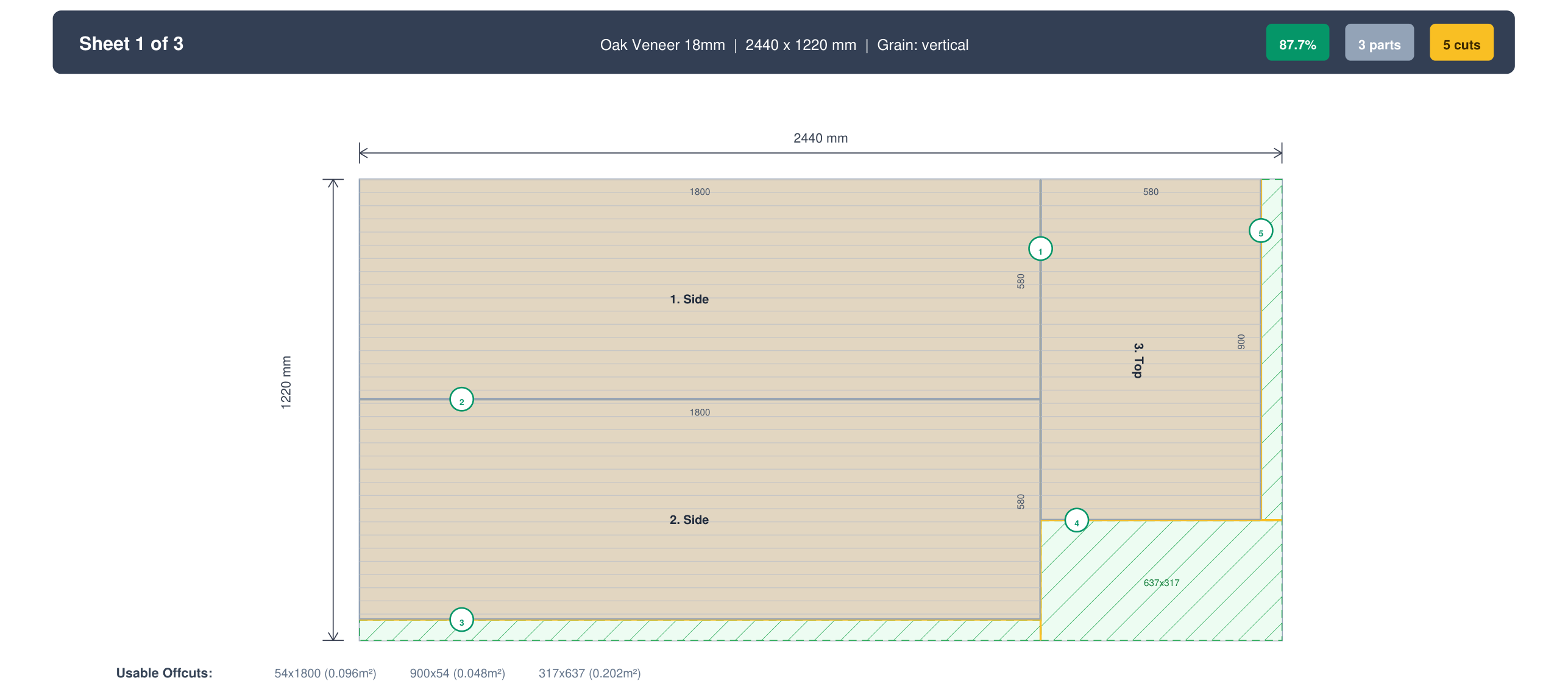
Кесу тізімін оңтайландырғыштан не іздеу керек
Барлық оңтайландырғыштар бірдей жасалмаған. Жеке құралдарға кіріспес бұрын, пайдалы оңтайландырғышты көңіл қалдыратынынан ажырататын негізгі мүмкіндіктер мыналар.
Материал тиімділігі мен өнімділік. Бүкіл мәселе осында. Жақсы оңтайландырғыш типтік жобаларда тұрақты түрде 85–95% материал пайдалануға жетуі керек. Алгоритм маңызды: кейбір құралдар қарапайым «бірінші сәйкес орынға, кемімелі ретпен» орналастыру логикасын пайдаланады, ал басқалары қалдықтарды азайту үшін бірнеше бұрылыс пен орналасуды тексеретін күрделірек bin-packing эвристикаларын қолданады. Біздің 15 бөлшектік сынақ шкафымызда ең жақсы және ең нашар құралдар арасындағы тиімділік айырмашылығы 8 пайыздық тармаққа дейін жетті — нақты жобада қосымша фанера парағын білдіруге жеткілікті.
Талшық бағытын қолдау. Шпондалған фанерамен, меламинмен немесе беткі өрнегінің бағдары бар кез келген материалмен жұмыс істесеңіз, талшық бағыты — талқыланбайтын талап. Онсыз оңтайландырғыш жақсырақ сыю үшін есік панелін 90 градусқа бұруы мүмкін, нәтижесінде бір есігінің талшығы тік, екіншісінікі көлденең болатын шкаф аласыз. Тек жалпы параметрді емес, бөлшек бойынша талшық құлыптауды іздеңіз.
Бірнеше материал. Нақты жобалардың көпшілігі бірден артық материалды қамтиды: корпусқа арналған 18 мм фанера, 3 мм арт қабырға тақтасы, қатты ағаш жиектеме. Бір уақытта тек бір материалды өңдейтін оңтайландырғыш сізді бөлек есептеулер жүргізуге және бәрін қолмен бақылауға мәжбүрлейді.
Экспорт нұсқалары. PDF кесу схемалары — базалық деңгей: бірдеңені басып шығарып, араға алып бару керек. CSV экспорт деректерді электрондық кестелерге немесе ERP жүйелеріне беру үшін пайдалы. DXF экспорт орналасуларды CNC машинасына жіберсеңіз маңызды, мұнда кесу жолдары визуалды схемалар емес, дәл векторлық файлдар болуы керек.
Қиындылар мен қалдықтарды басқару. Жобаны аяқтағаннан кейін сізде жартылай парақтар қалады. Жақсы оңтайландырғыш бұл қиындыларды сақтауға және келесі жобаңызда қол жетімді қор ретінде қосуға мүмкіндік береді, сондықтан сөреде жарамды қалдық тұрғанда жаңа парақ сатып алмайсыз.
Көптілді қолдау. Ағаш шеберлері барлық жерде бар. Ағылшын тілі сіздің ана тіліңіз болмаса немесе әртүрлі тілде сөйлейтін жұмысшылары бар цех басқарсаңыз, көптілді қолдау құралды командадағы әркімге қолжетімді етеді.
Баға моделі. Кейбір құралдар шектеулермен тегін, кейбірі айлық жазылым ақысын алады, ал басқалары бір реттік жұмыс үстелі лицензиясын сатады. Дұрыс модель құралды қаншалықты жиі пайдаланатыныңызға байланысты. Айына екі рет оңтайландыратын хоббистің қажеттіліктері күніне 20 оңтайландыру жүргізетін өндірістік цехтан өзгеше.
Онлайн vs. жұмыс үстелі. Веб-негізді құралдар браузері бар кез келген құрылғыда жұмыс істейді: Mac, Windows, Linux, телефон, планшет. Жұмыс үстелі құралдары бір операциялық жүйемен шектелген (дерлік әрқашан Windows), бірақ офлайн жұмыс істейді. 2026 жылы пайдаланушылардың көпшілігі үшін веб-негізді құралдар көбірек икемділік ұсынады.
Үздік тегін кесу тізімін оңтайландырғыштар
Бұл құралдар төлемсіз мағыналы функционалдық ұсынады. «Тегін» әрқайсысы үшін әртүрлі мағына береді: кейбірінде жомарт тегін деңгейлер бар, басқалары жарнамамен қаржыландырылады, ал біреуі — ақылы өнімнің шектеулі қоғамдастық басылымы.
CutPlan (cutplan.ai)
CutPlan — хоббистерге де, кәсіпқойларға да арналған веб-негізді оңтайландырғыш. Тегін деңгей айына 30 есептеуді қамтиды, бұл хоббистердің көпшілігіне және тіпті жеңіл кәсіби пайдалануға жеткілікті. Талшық бағыты, кесік ені, жиек жапсырма және бірнеше материал түрі — бәрі тегін жоспарда қол жетімді; бұлар ақылы жоспар артына жасырылған мүмкіндіктер емес.
PDF экспорт тегін. Толық мүмкіндіктер жиынтығы Pro жоспарда DXF экспортты және шексіз есептеулерді қамтиды (айына $29), ал анда-санда пайдалану үшін бір реттік Project Pack-тер бар. CutPlan 21 тілді қолдайды және кез келген құрылғыда, соның ішінде телефондар мен планшеттерде жұмыс істейді.
Ерекше көзге түсетін бір мүмкіндік — қиындылар инвентарын бақылау. Жобаны аяқтағаннан кейін қалған парақ қалдықтарын сақтап, болашақ жобаларда қол жетімді қор ретінде қоса аласыз. Мұның өзі уақыт өте келе айтарлықтай ақша үнемдей алады, әсіресе жартылай парақтар жиналатын қарбалас цехта.
Кімге лайық: жомарт тегін деңгейді қалайтын хоббистерге, халықаралық пайдаланушыларға (21 тіл), мобильді қолжетімділік қажет әркімге және қымбат бағдарламасыз қиындыларды бақылауды қалайтын цехтарға.
Артықшылықтары: жомарт тегін деңгей, тегін жоспардағы талшық бағыты, барлық құрылғыларда жұмыс істейді, 21 тіл, қиындыларды бақылау, заманауи интерфейс.
Кемшіліктері: DXF экспорт Pro жоспарды қажет етеді, тегін деңгейде айына 30 есептеу шегі (хоббистердің көпшілігіне жеткілікті, бірақ күнделікті кәсіби пайдалану үшін тар болуы мүмкін).
OptiCutter (opticutter.com)
OptiCutter — берік тегін деңгейі бар, әбден орныққан веб-негізді оңтайландырғыш. Интерфейсі қарапайым: қор парақтарын енгізіңіз, бөлшектеріңізді қосыңыз және оңтайландыруды іске қосыңыз. Ол талшық бағытын өңдейді және таза визуалды орналасулар шығарады.
Тегін нұсқада бір есептеудегі бөлшектер мен парақтар санына шектеулер бар, бұл ірірек жобалар үшін шектеуші болуы мүмкін. Ақылы жоспарлар жоғарырақ шектер мен қосымша экспорт форматтарын ашады. Оңтайландыру алгоритмі стандартты жобаларда жақсы нәтижелер береді, дегенмен біздің сынағымызда күрделі көп материалды орналасуларда оны CutPlan-нан сәл тиімсіздеу деп таптық.
Мүмкіндіктер бойынша егжей-тегжейлі салыстыру үшін біздің CutPlan vs OptiCutter бетін қараңыз.
Кімге лайық: қарапайым жобалар үшін жеңіл, артық әшекейсіз веб-негізді оңтайландырғышты қалайтын пайдаланушыларға.
Артықшылықтары: таза интерфейс, жақсы базалық оңтайландыру, браузерде жұмыс істейді, көп жылдық дамуы бар орныққан құрал.
Кемшіліктері: тегін деңгейде бөлшектер/парақтар шектеулері, кейбір баламаларға қарағанда материалды реттеу мүмкіндіктері азырақ, CutPlan-мен салыстырғанда шектеулі тілдік қолдау.
CutList Optimizer (cutlistoptimizer.com)
CutList Optimizer базалық оңтайландыру қажеттіліктерін қамтитын тегін деңгейі бар қарапайым, қолжетімді веб-интерфейс ұсынады. Құрал пайдалану оңайлығына бағытталған: бетті жүктегеннен кейін секундтар ішінде бөлшектерді енгізе бастай аласыз, базалық пайдалану үшін тіркелгі қажет емес.
Оңтайландыру нәтижелері қарапайым жобалар үшін берік, дегенмен алгоритм талшық бағытын өңдеуде күрделілігі аздау. Тегін деңгейдегі экспорт нұсқалары негізінен визуалды орналасуды басып шығарумен шектелген. Премиум мүмкіндіктер қосымша экспорт форматтары мен жоғарырақ бөлшек шектерін ашады.
Толығырақ ақпарат үшін біздің CutPlan vs CutList Optimizer салыстыруын қараңыз.
Кімге лайық: базалық орналасу тез қажет болатын жылдам, қарапайым оңтайландыруларға.
Артықшылықтары: бастау өте оңай, базалық пайдалану үшін тіркелгі қажет емес, таза визуалды нәтиже.
Кемшіліктері: шектеулі талшық бағыты қолдауы, аздау экспорт нұсқалары, шектеулі тілдік қолдау.
MaxCut Community Edition (maxcutsoftware.com)
MaxCut — тегін қоғамдастық басылымы бар Windows-қа арналған жұмыс үстелі қолданбасы. Ол көп жылдан бері бар және адал пайдаланушы базасына ие, әсіресе коммерциялық жиһаз және панель өңдеу саласында. Бағдарлама веб-негізді құралдардың көпшілігінен мүмкіндіктерге бай: егжей-тегжейлі есептер, затбелгі басып шығару және қиындыларды басқару.
Мұның ымырасы — күрделілік. MaxCut-тың оқу қисығы веб-негізді баламалардан тіктеу, ал интерфейсі жұмыс үстелі мұрасын көрсетеді — функционалды, бірақ заманауи емес. Қоғамдастық басылымы бір оңтайландырудағы бөлшектер санын шектейді, байыпты пайдаланушыларды ақылы деңгейлерге итермелейді.
Егжей-тегжейлер үшін біздің CutPlan vs MaxCut салыстыруын қараңыз.
Кімге лайық: жұмыс үстелі бағдарламасын жөн көретін және жоғары деңгейлі есеп мүмкіндіктері қажет Windows пайдаланушыларына.
Артықшылықтары: қуатты оңтайландыру қозғалтқышы, егжей-тегжейлі есептер, затбелгі басып шығару, қиындыларды басқару, офлайн жұмыс істейді.
Кемшіліктері: тек Windows (Mac, Linux немесе мобильді жоқ), тіктеу оқу қисығы, ескірген интерфейс, қоғамдастық басылымында бөлшек шектеулері бар.
Үздік ақылы кесу тізімін оңтайландырғыштар
Кәсіби цех басқарсаңыз және оңтайландыру күнделікті жұмыс процесіңіздің бөлігі болса, бұл ақылы құралдар тегін деңгейлер беретіннен тыс мүмкіндіктер ұсынады.
CutList Plus fx ($89 бір реттік)
CutList Plus fx — кесу тізімін оңтайландыру саласының ардагері. Мерзімсіз лицензия үшін $89 бағасымен ол негізінен жазылымдарға көшкен нарықтағы қалған санаулы бір реттік сатып алу нұсқаларының бірі. Бағдарлама парақ материалдарын да, ұзын ағаш материалдарын да (кесілген ағаш, багет және т.б.) өңдейді, бұл оны екеуімен де жұмыс істейтін цехтар үшін әмбебап етеді.
Оңтайландыру алгоритмі жетілген және тұрақты жақсы тиімділік береді. Есептер егжей-тегжейлі әрі басып шығаруға жарамды. Негізгі кемшілігі — платформа шектеуі: тек Windows жұмыс үстелі, веб-нұсқасы жоқ, мобильді қолжетімділік жоқ және Mac қолдауы жоқ. Интерфейс функционалды, бірақ соңғы жылдары айтарлықтай жаңартылмаған.
Кімге лайық: бір реттік сатып алуды қалайтын және парақ материалдарымен де, ағашпен де жұмыс істейтін Windows-негізді цехтарға.
Артықшылықтары: бір реттік сатып алу (жазылым жоқ), ағаш пен парақ материалдарын өңдейді, жақсы оңтайландыру, егжей-тегжейлі есептер.
Кемшіліктері: тек Windows, мобильді немесе веб қолжетімділік жоқ, ескірген интерфейс, тек ағылшын тілі, жобалар арасында қиындыларды бақылау жоқ.
CutListEvo (cutlistevo.com)
CutListEvo — өндірістік орталарға бағытталған веб-негізді жазылым құралы. Ол егжей-тегжейлі құн есептеулерін, қалдық талдауын және интеграция мүмкіндіктерін қоса, жоғары деңгейлі мүмкіндіктер ұсынады, бұл оны парақ материалдарының үлкен көлемін өңдейтін коммерциялық операцияларға лайық етеді.
Құрал жиек жапсырма есептеулері мен материал шығындарын бақылауды күшті қолдай отырып, жақсы оңтайландыру нәтижелерін береді. Жазылым бағасы оның кәсіби позициясын көрсетеді: ол хоббист құралдарынан қымбатырақ, бірақ өндірістік цехтарға қажет мүмкіндіктерді қамтиды.
Егжей-тегжейлі талдау үшін біздің CutPlan vs CutListEvo салыстыруын қараңыз.
Кімге лайық: шығындарды бақылау, жиек жапсырма есептеулері және үлкен көлемді өңдеу қажет өндірістік цехтарға.
Артықшылықтары: егжей-тегжейлі шығын талдауы, жиек жапсырма есептеулері, веб-негізді, өндіріске бағытталған мүмкіндіктер.
Кемшіліктері: жоғарырақ баға, базалық пайдаланушылар үшін тіктеу оқу қисығы, хоббистерге қажеттен артық құрал болуы мүмкін.
PolyBoard + OptiCut (wooddesigner.org)
PolyBoard — толық шкаф дизайны бағдарламасы, ал OptiCut — оның серіктес кесу тізімін оңтайландырғышы. Бірге олар толық жұмыс процесін құрайды: шкафтарыңызды PolyBoard-та жобалаңыз, ал OptiCut дизайн деректерінен оңтайландырылған кесу орналасуларын жасайды. OptiCut қолмен кесу тізімін енгізу үшін дербес те жұмыс істейді.
Бұл қоспа дизайннан өндіріске дейінгі интеграцияны қалайтын шкаф шеберлері үшін ең қуатты нұсқа. PolyBoard 3D шкаф дизайндарынан кесу тізімдерін автоматты түрде жасайды — барлық панельдерді, сөрелерді, арт қабырғаларды және жиектемені қоса. Содан кейін OptiCut кесу орналасуын оңтайландырады және автоматтандырылған кесу машиналары үшін CNC пост-процессор файлдарын шығара алады.
Кімге лайық: CNC шығысы бар, дизайннан кесуге дейінгі интеграцияланған жұмыс процесін қалайтын кәсіби шкаф шеберлеріне.
Артықшылықтары: толық шкаф дизайны интеграциясы, CNC пост-процессорлар, кәсіби деңгейдегі оңтайландыру, параметрлік дизайн.
Кемшіліктері: қымбат (PolyBoard + OptiCut бірге), тек Windows, айтарлықтай оқу қисығы, қарапайым оңтайландыру тапсырмалары үшін тым ауқымды.
Салыстыру кестесі
Міне, бес негізгі оңтайландырғыштың қатар шолуы. Жоғарыда қарастырылған тағы екі құрал — CutListEvo және PolyBoard + OptiCut — өз бөлімдерінде қамтылған мамандандырылған өндірістік пакеттер. Кез келген нақты жұп бойынша көбірек ақпарат үшін жоғарыдағы әр құрал бөліміндегі салыстыру сілтемелеріне өтіңіз.
| Мүмкіндік | CutPlan | OptiCutter | CutList Optimizer | MaxCut | CutList Plus |
|---|---|---|---|---|---|
| Баға | Тегін / айына $29 | Тегін / Ақылы | Тегін / Ақылы | Тегін / Ақылы | $89 бір реттік |
| Платформа | Веб | Веб | Веб | Windows | Windows |
| Талшық бағыты | Иә | Иә | Шектеулі | Иә | Иә |
| DXF экспорт | Pro | Ақылы | Жоқ | Иә | Иә |
| Тілдер | 21 | ~10 | ~5 | ~5 | Ағылшын |
| Мобильді | Иә | Иә | Иә | Жоқ | Жоқ |
| Қиындыларды бақылау | Иә | Жоқ | Жоқ | Иә | Жоқ |
Біз қалай сынадық
Бұл салыстыруды мүмкіндігінше әділ әрі практикалық ету үшін біз осы тізімдегі әрбір құрал арқылы бірдей жобаны жүргіздік. Сынақ жобасы — 15 бөлшектік ас үй шкафы, корпус панельдерін, сөрелерді, есіктерді, арт қабырға мен тартпа жәшігін қамтитын шынайы жүктеме, екі түрлі материалмен (корпус үшін 18 мм меламинмен қапталған жоңқа тақта және арт қабырға үшін 3 мм HDF).
Біз әрбір оңтайландырғыш үшін төрт нәрсені өлшедік:
- Дайындық уақыты: құралды ашқаннан бастап барлық 15 бөлшекті дұрыс өлшемдермен, материалдармен және талшық параметрлерімен енгізгенге дейін қанша уақыт кетті. Бұған кез келген тіркелгі жасау немесе бағдарлама орнату уақыты кіреді.
- Материал тиімділігі: сатып алынған жалпы парақ ауданына қатысты нақты бөлшектер пайдаланған парақ материалының пайызы. Жоғарырақ болғаны жақсы. Біз оларды қолдайтын барлық құралдарда бірдей кесік ені (3,2 мм) мен жиек қию (10 мм) параметрлерін пайдаландық.
- Экспорт сапасы: PDF (немесе басып шығарылған) нәтиже ара жанында шатаспай орындауға жеткілікті анық па — бөлшек белгілерін, өлшемдерді, парақ сәйкестендіруін және кесу ретін қоса.
- Пайдалану оңайлығы: жұмыс процесінің қаншалықты интуитивті сезілгенін, интерфейстің не болып жатқанын қаншалықты жақсы жеткізетінін және түзетулер енгізудің қаншалықты оңай екенін субъективті бағалау.
Барлық сынақтар 2026 жылғы наурызда жүргізілді. Веб-негізді құралдар Windows пен macOS-та Chrome-да (соңғы нұсқа) сыналды. Жұмыс үстелі құралдары Windows 11-де сыналды. Баға мен мүмкіндіктер жарияланған сәтте дәл, бірақ өзгеруі мүмкін, сондықтан әрқашан жеткізушінің веб-сайтында тексеріңіз.
Әділдік туралы ескерту: CutPlan — біздің өнім, сондықтан басқа құралдардың одан қай жерде асып түсетіні туралы ашық болдық. MaxCut-тың жұмыс үстелі есептері біздікінен егжей-тегжейлірек. CutList Plus ағаш кесу оңтайландыруын өңдейді, біз өңдемейміз. PolyBoard-тың дизайннан кесуге дейінгі интеграциясы мүлдем басқа лигада. Салыстыру адал деп сенеміз, бірақ кез келген ақылы жоспарға көшпес бұрын тегін деңгейлерді әрқашан өзіңіз сынап көруіңіз керек.
CNC кірістірудің қолмен оңтайландыру әдістерімен қалай салыстырылатынына тереңірек көзқарас үшін CNC кірістіру vs қолмен кесу тізімдері туралы мақаламызды қараңыз. Ал тегін мен ақылы нұсқалар арасында әлі шешім қабылдамасаңыз, біздің тегін кесу тізімін оңтайландырғыш нұсқаулығымыз тегін құралдардан барынша пайда алуға тереңірек үңіледі.
Кесу тізіміңізді оңтайландыруға дайынсыз ба?
CutPlan-ды тегін қолданып көріңіз: айына 30 есептеу, жүктеу қажет емес, несие картасы қажет емес.
Оңтайландырғышты ашу →Жиі қойылатын сұрақтар
Ең үздік тегін кесу тізімін оңтайландырғыш қайсы?
CutPlan — осы салыстырудағы ең жомарт тегін нұсқа: тегін деңгейге айына 30 есептеу кіреді, оған талшық бағыты, кесік ені, бірнеше материал түрі және PDF экспорт қоса беріледі. Бұл маңызды, өйткені тегін оңтайландырғыш материалды нақты жұмысыңызды модельдей алғанда ғана үнемдейді, ал бөлшек бойынша талшық бекіту мен бірнеше материал — дәл жұқарақ тегін деңгейлер алып тастайтын мүмкіндіктер. OptiCutter мен CutList Optimizer-де де жарамды тегін деңгейлер бар. OptiCutter бір есептеудегі бөлшектер мен парақтар санын шектейді, бұл толық ас үйде қатты білінеді, ал CutList Optimizer тегін экспорт нұсқаларын негізінен орналасуды басып шығарумен шектеп, көбірек бөлшек лимитін премиумға қалдырады. Windows-та жұмыс үстелі бағдарламасын жөн көрсеңіз және бөлшек шегі мен тіктеу оқу қисығына көне алсаңыз, тегін таңдау — MaxCut Community Edition. Жұмыс процесіне қарай таңдаңыз: мобильді қолжетімділік пен көптілді командалар үшін CutPlan, қарапайым жұмыстар үшін OptiCutter, Windows-та офлайн жұмыс үшін MaxCut, және шешім қабылдамас бұрын әрқайсысын нақты шкафта сынап көріңіз.
Mac-қа арналған кесу тізімін оңтайландырғыш бар ма?
Иә, бірақ тек веб-негізді оңтайландырғышты таңдасаңыз ғана. CutPlan, OptiCutter және CutList Optimizer үшеуі де браузер ішінде жұмыс істейді, сондықтан олар Mac, Windows, Linux, телефондар мен планшеттерде бірдей әрекет етеді, ештеңе орнатудың және сыйысымдылық қабатын ұстап тұрудың қажеті жоқ. Осы шолудағы жұмыс үстелі құралдары MaxCut пен CutList Plus fx — тек Windows-қа арналған қолданбалар. Mac-та оларды іске қосу үшін Wine, Boot Camp немесе виртуалды машина керек болады, ал олардың әрқайсысы баптау уақытын, лицензия сұрақтарын және macOS жаңартуынан кейін бұзылуы мүмкін жаңа мәселелерді қосады. Mac пайдаланушыларының көбі үшін практикалық жауап — жай ғана веб-құралды пайдаланып, бұл мәселені түгелдей айналып өту. Нақты мысал: үстел басында MacBook-тағы Safari-де шкафты енгізіңіз, содан кейін сол құралды араның жанына қойылған iPad-тағы Safari-де ашыңыз, өйткені екі құрылғыда да жалғыз талап — браузер.
PC-ге арналған кесу тізімін оңтайландырғыш бар ма және оны жүктеу қажет пе?
Міндетті емес. Заманауи веб-негізді оңтайландырғыштар толығымен браузерде жұмыс істейді, сондықтан ештеңе жүктеудің, ештеңе орнатудың және шектеулі жұмыс компьютерінде әкімші рұқсатын алудың қажеті жоқ. Сайтты ашасыз, бөлшектеріңіз бен қор парақтарын енгізесіз, ал орналасу сол жерде есептеледі. MaxCut және CutList Plus fx сияқты жұмыс үстелі құралдары керісінше жұмыс істейді: оларға орнатқыш керек, олар диск кеңістігін алады және сізді бір операциялық жүйеге, дерлік әрқашан Windows-қа байлайды. Олардың орнын толтыратын артықшылығы — офлайн пайдалану, бұл шеберханаңызда сенімді интернет байланысы болмаса маңызды. Пайдаланушылардың көбі үшін веб-тәсіл ыңғайлырақ, өйткені жаңартулар автоматты түрде келеді және сол құрал екінші рет орнатусыз сіздің әр құрылғыңызда жұмыс істейді. Практикалық сынақ қарапайым: ағаш базасында тұрып орналасуды телефоннан тексергіңіз келсе, керек кезде қол астында болатын жалғыз құрал түрі — браузер құралы.
Шкафтар үшін қай кесу тізімін оңтайландырғыш үздік?
Ас үй мен жуынатын бөлме шкафтары үшін ең маңызды үш мүмкіндік — бөлшек бойынша талшық бағыты, бір жобада бірнеше материалды қолдау және араның жанында орындауға жеткілікті түсінікті PDF кесу парағы. Шкаф жұмысы дерлік әрқашан каркас материалын жұқарақ артқы панельмен араластырады, ал көрінетін есіктер мен шеткі панельдердің талшығы бір бағытта жүруі керек, сондықтан осы мүмкіндіктердің бірі жоқ оңтайландырғыш сізді бөлек есептеулер мен қолмен есеп жүргізуге мәжбүрлейді. CutPlan үшеуін де тегін деңгейінде өңдейді, сондықтан ол осы салыстыруда шкаф жасаушылардың көбі үшін әдепкі ұсыныс. Шкаф дизайнының өзі кесу тізімін жасағанын қаласаңыз, OptiCut-пен PolyBoard — кәсіби жол: ол параметрлік дизайннан әр панельді, сөрені, артқы қабырғаны және жиектемені шығарады және CNC постпроцессор файлдарын бере алады. Оның бағасы — тіктеу оқу қисығы, тек Windows платформасы және шкафтар күнделікті жұмысыңыз болмаса ақтауы қиын құн.
Ақылы бағдарлама тегінге қарағанда тұрарлық па?
Бұл қаншалықты жиі оңтайландыратыныңызға байланысты. Айына бір-екі жоба жасайтын хоббистке әдетте тегін деңгей жеткілікті, өйткені материал үнемдеу ақылы қосымшалардан емес, алгоритмнен келеді. Күнделікті кесетін кәсіпқойлар басқаша: олар айлық есептеу мен экспорт шектеріне тіреледі және CNC-ге беру үшін DXF экспорт қажет, ал екеуі де Pro жоспарда. Шығынды өтеу нүктесі көбіне айына бір ғана үнемделген материал парағы, өйткені жазылым өзі үнемдейтін парақтан арзан. Шешім қабылдамас бұрын нақты жұмысты тегін деңгейден өткізіп, дәл қай жерде қабырғаға тірелгеніңізді белгілеңіз; ешқашан тірелмесеңіз, тегінде қалыңыз. Қабырға тек анда-санда болатын үлкен жобада ғана пайда болса, Project Pack сол бір жобаны айлық міндеттемесіз бір реттік төлеммен ашады, және бұл көбіне ең арзан адал жауап.